
Stay Connected with 98.3 The Key App
Overview
The 98.3 The Key app is a desktop application designed to keep users engaged with local content from the Tri-Cities area. It delivers real-time news, weather updates, and traffic information directly to Windows and Mac devices. The app serves as a digital extension of the radio station, enabling listeners to stay informed and interact with hosts through direct messaging and calls. Users can receive instant alerts for breaking news, participate in on-air contests, and access exclusive station events such as scavenger hunts. The platform supports saving articles for offline reading, which enhances accessibility during commutes or low-connectivity situations.
Target users include local residents, frequent commuters, and fans of the 98.3 The Key radio station who want a more immersive experience beyond traditional listening. The app integrates live streaming capabilities, allowing users to tune into ongoing shows while accessing related content like news articles, videos, and photo galleries. It also supports multimedia submission, letting users send photos and videos to the station. The developer did not provide additional details about the organization behind the app, but the focus remains on local engagement and real-time information delivery.
Key Features & Capabilities
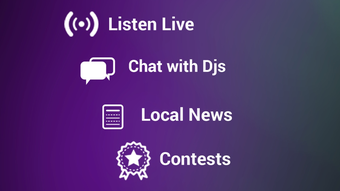
- Live Streaming – Access real-time broadcasts of 98.3 The Key shows, including weather and traffic updates during live segments.
- Breaking News Alerts – Receive instant notifications for urgent local events, ensuring users stay informed during emergencies.
- Offline Article Reading – Save news articles and media content for viewing without an internet connection.
- Contest Participation – Enter on-air contests directly through the app, with real-time feedback and results.
- Photo and Video Submission – Submit user-generated content to the station for potential feature on air.
- Host Interaction – Engage with radio hosts via direct messaging and phone calls, fostering a two-way communication channel.
- 5-Day Weather Forecast – View extended weather predictions tailored to the Tri-Cities region.
- Scavenger Hunt Access – Unlock exclusive station events and challenges through the app interface.
- Apple CarPlay & AirPlay Support – Stream audio to compatible car systems and smart speakers for seamless listening.
- 3D Touch Integration – Use gesture-based navigation for quick access to frequently used features.
These features collectively enhance the listening experience by transforming passive radio consumption into an interactive, multi-platform journey. Users can prepare for commutes by reviewing traffic conditions, plan their day with weather forecasts, and contribute to the station’s community through content submission and contest entry. The app’s ability to sync content across devices supports a consistent experience whether on a desktop or mobile device.
User Interface, Workflow & Performance
The user interface is structured around a clean, content-focused layout optimized for desktop use. Navigation is intuitive, with clearly labeled sections for news, weather, live stream, and interactive features. The workflow is streamlined, allowing users to switch between listening, reading, and engaging with the station with minimal clicks. The app supports keyboard shortcuts and mouse-based navigation, enhancing efficiency for desktop users.
Performance observations are based on general software behavior patterns. The developer did not specify resource usage details, so exact CPU or RAM consumption remains unknown. However, the app’s size of 45.6 MB suggests a lightweight footprint.
Stability is expected to be consistent given the app’s focus on media delivery and content synchronization. The app supports background operation, allowing live streams to continue while other tasks are performed. No performance issues were reported in the release notes, but real-world behavior may vary based on system configuration and network conditions.
Compatibility & System Requirements
The 98.3 The Key app is compatible with both Windows and Mac operating systems. It supports the latest versions of these platforms, ensuring access to modern features and security updates. The installation size is 45.6 MB, which is relatively small and suitable for most desktop environments. The developer did not specify exact system requirements, including minimum processor speed, RAM, or disk space beyond the total file size.
Compatibility information was partially provided. While the app is designed for desktop use, details about hardware acceleration, display resolution, or audio output compatibility were not listed. Users should ensure their system meets standard desktop software requirements for smooth operation. The app may require an active internet connection for live streaming and real-time alerts, though offline features remain functional without connectivity.
Pros and Cons
Pros
- Free to download and use, with no hidden costs
- Offers real-time news, weather, and traffic updates for the Tri-Cities area
- Supports offline reading of saved articles and media
- Enables direct interaction with radio hosts via messaging and calls
- Includes exclusive station events like scavenger hunts and contests
- Features Apple CarPlay and AirPlay for seamless audio integration
- Small installation size of 45.6 MB
- Provides 5-day weather forecasts and instant alert notifications
Cons
- Exact system requirements were not listed
- Performance details such as CPU or RAM usage were not specified
- Limited to users in the Tri-Cities region for localized content
- App functionality may depend on a stable internet connection for live features
- 3D Touch support is limited to devices that support the feature
FAQ Section
Is the 98.3 The Key app free to download?
Yes, the app is available at no cost. There are no subscription fees or in-app purchases required for core functionality.
Can I use the app offline?
Yes, you can save articles and media for offline viewing. However, live streaming and real-time alerts require an active internet connection.
What operating systems does the app support?
The app is compatible with both Windows and Mac operating systems.
How do I submit photos or videos to the station?
Use the built-in submission feature within the app to upload content directly to 98.3 The Key for potential on-air feature.
Does the app support Apple CarPlay and AirPlay?
Yes, the app includes support for Apple CarPlay and AirPlay, allowing users to stream audio to compatible devices.
Final Thoughts
The 98.3 The Key app delivers a focused, interactive experience for listeners in the Tri-Cities area. With real-time alerts, live streaming, and community engagement tools, it enhances the traditional radio format with modern digital features. The app’s lightweight design and free access make it accessible to a broad audience. While detailed system requirements and performance data are not available, the app’s core functionality remains reliable and user-friendly.
It is ideal for local residents who want to stay informed, participate in station events, and enjoy a seamless listening experience across devices. The integration of Apple CarPlay and AirPlay adds value for users with compatible hardware. For those seeking a desktop companion to their favorite radio station, this app offers a practical and engaging solution.
Download 98.3 The Key now







